I) Useful Program:
- For now the best program to manipulate Cloud point is https://www.cloudcompare.org/ . This program change cloude point to mesh, but you won’t assign point cloud classification to vertices. You’d probably have to choose one classification type and manually assign that type to all vertices. Then do the same for all classifications and combine them all together.
- Next program is https://qgis.org/ . The latest version of this program adds point cloud support, but unfortunately it is still in development.
- Blender can read a point cloud, but it can’t add any metadata. However, you can add vertex attributes and then add metadata to those attributes in Notepad. Here is test: glTF2.0 in UE5.2, metadata "EXT_structural_metadata", "EXT_mesh_features" - #7 by Marco13
II) 3D Tile standard:
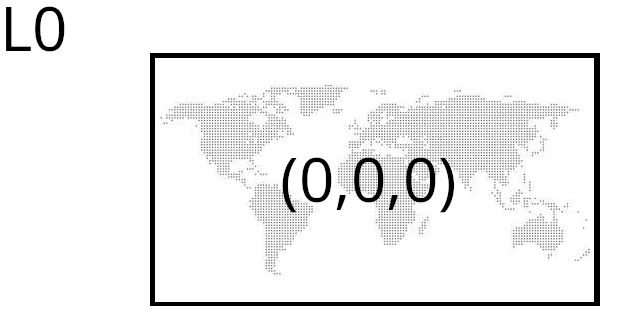
I shared a piece of the earth map so that anyone can learn how to use 3Dtiles. GitHub - avrkwiat/3DTiles-earth-template: 3 first LOD for earth . My gramatic tileset:
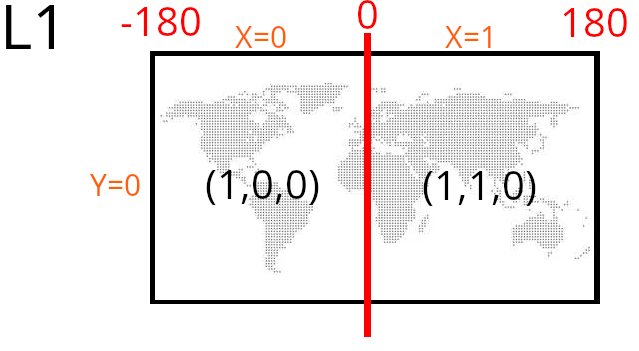
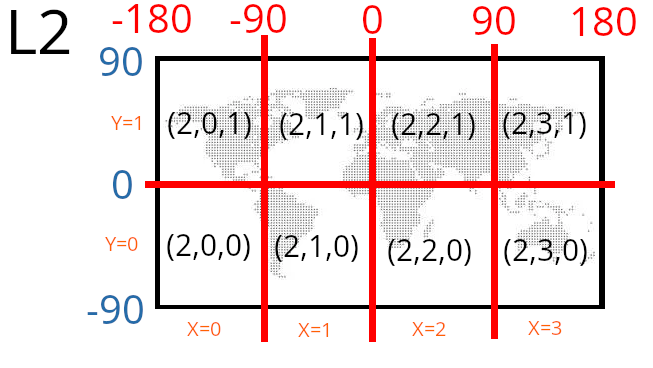
Each tile is identified by: L(level number) and X (longitude) and Y (width) coordinates. Using these variables (L, X, Y), you can define its exact location on the globe.
L1:
L2
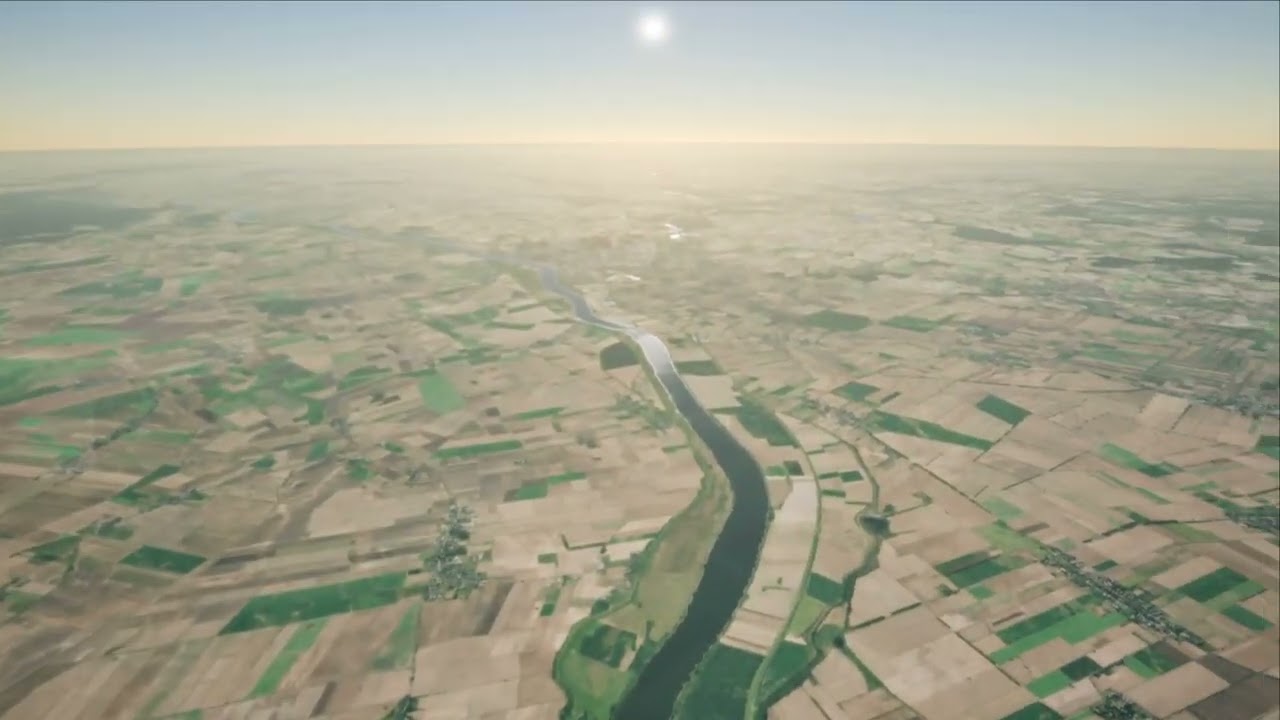
In this way I create a whole map with tree, buldings, water etc:
III) GLTF standard
It is an open standard for creating 3D scenes. There is no easy way to add metadata to a model, but you can “easily” create a model with metadata. To generate the map I had to learn the basics of modeling in Blender.
What you really need to know is what a Cartesian coordinate system is, a transform, and a float to hex conversion. If you can create a vertex, you can assign an attribute to it. If you already have a vertex with an attribute, you can add metadata to it. That’s the whole philosophy. Read this topic: glTF2.0 in UE5.2, metadata "EXT_structural_metadata", "EXT_mesh_features" - #8 by m.kwiatkowski
Final effect:
https://youtu.be/uEojAKOvHKI?si=hEcOvZYAxWi5ylwp