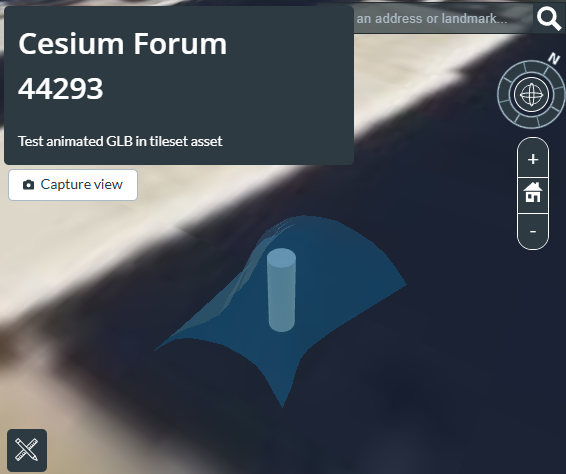
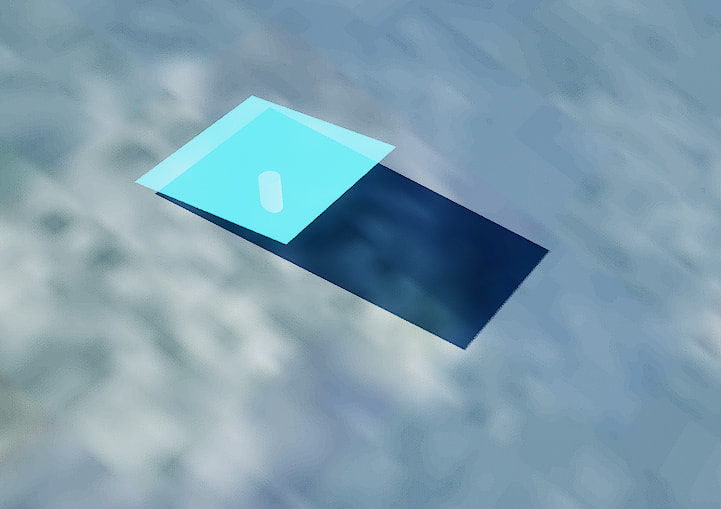
When you select “Add data” → “Add files”, and select a GLB as the input, then there should be a selection box “What kind of data is this?”, that allows selecting different options. Selecting “3D Model (tile as 3D Tiles)” will not retain the animations. Selecting “3D Model (convert to glTF)” should retain the animation. (If neceassary, I can elaborate some of the differences between these options. The second one will not create a 3D Tiles tileset. But maybe it does not (yet) matter for you right now)
(1) In one of the Stories, when I selected a glb file via “Add asset…” → “Upload new asset” → “Add files…”, the “3D Model (convert to glTF)” option did not appear.
(2) In My Assets, when I selected a glb file via “Add data” → “Add files…”, I could choose “3D Model (convert to glTF)”.
However, the glTF asset added in (2) does not appear in the “Select an asset” list when I try to add it to my Story via “Add asset…”.
Additionally, when attempting to add the glTF asset added via (2) to a level in Cesium for Unreal, the message “This type of asset is not currently supported” appears.
Is it not possible to add glTF assets to my Story or within Cesium for Unreal?
OK, there are some things where I’d have to look up some details (or try it out), but maybe @Ankit_Trehan can confirm:
Is it correct that it is not possible to add assets with the type “glTF Model” in stories? (Only “3D Tiles” and others…)
If this is the case, then … one (somewhat quirky) workaround might be to take the original glTF asset, as-it-is, and use the 3d-tiles-tools function to create a matching tileset JSON file, with npx 3d-tiles-tools createTilesetJson -i ./data -o ./data/tileset.json
(where ./data is the directory that contains the glTF as a GLB file), and then upload the full tileset (i.e. the GLB and the tileset.json file) to ion, to be hosted as a 3D Tiles tileset.
I tried creating a 3D Tileset asset with the included tileset.json using the 3d-tiles-tools you suggested.
Unfortunately, the situation remained unchanged.
While I can add it as “3D Model (convert to glTF)” in the “My Assets” screen, it cannot be added to My Story or Cesium for Unreal in that case.
Within My Story, I can add it as a “3D Model (tile as 3D Tiles)”, but “3D Model (convert to glTF)” does not appear as an option. When added as “3D Model (tile as 3D Tiles)”, the animation is lost.
For reference, I’m attaching the glb file I want to upload (an abstract fountain) and the zip file with the tileset.json added using 3d-tiles-tools.
When you upload that ZIP file, you have to select “3D Tiles” as the kind of data. This will ensure that the tileset is taken as-it-is, without any processing that may cause the animation to be lost.
You can apply the placement of the tileset when creating the tileset JSON, though. With npx 3d-tiles-tools createTilesetJson -i ./ -o ./tileset.json --cartographicPositionDegrees -75.152 39.94 10
the tileset will be located at the specified cartographic position. Here’s an example output:
In theory, that works. And largely it also works in practice: You can load that tileset in isolation (in a standalone sandcastle). And you can press the at the bottom (in the time control panel) to start the animation. And you can embed the tileset in a story. And once the tileset has been geolocated, you can apparently even edit that geolocation in stories (for whatever reason)…
I don’t think currently there is a way to work with animations in stories. We can add it as an issue to look at in our roadmap for future work. The only workaround currently would be to directly load it in Cesium JS.
When I tried uploading the foutainLocated.zip created by Marco13 as a “3D Tile,” the first frame of the bone animation was applied within the Cesium Ion Story.
I wanted to confirm that foutain.glb was stored exactly as it was, without any modifications, but unfortunately, an error occurred and I couldn’t download it.
My current goal is to animate GLB objects in Cesium for Unreal. Does that seem difficult at this point?
When I loaded the GLB object uploaded via the above method into Cesium for Unreal, it displayed without the first frame of animation applied (unlike in Cesium ion).
I have confirmed that the fountain.glb file uploaded earlier can be displayed and animated in Cesium Sandcastle. Thank you all for your cooperation.
Animation does not work in Stories or Cesium for Unreal, but I hope this will be possible in the future.
Regarding glTF, besides bone-based skinning animation, there is also morphing animation via shape blending. Is it correct that Cesium does not support this at all?
I created spike.glb, which performs morphing between a sphere and a shape with protruding spikes.
Next, I tried uploading the attached spike.glb in three different ways, but it still wouldn’t play correctly in Cesium Sandcastle.
As ‘3D Model (convert to glTF)’ → Couldn’t display (upload error?)
As ‘3D Model (tile as 3D Tiles)’ → A sphere appears, but the morphing isn’t applied
As ‘3D Tiles’ → Didn’t display
I’ll have to take a closer look at this. I think that morphing should be supported, but morphing often uses sparse accessors, which is not yet supported in CesiumJS.
But to quickly confirm: Did you upload the GLB only, or did you create the tileset JSON with the 3d-tiles-tools as well? When you manually upload that tileset JSON (together with the GLB, of course), and just use the “3D Tiles” option, then it should not process/tile/modifiy the GLB at all.
The reason my spike.glb morphing animation wasn’t working was because sparse accessors were being used. After changing Blender’s export options and turning off the switch for Data > Shape Keys > Optimize Shape Keys > Use Sparse Accessor, I confirmed the animation runs correctly in Cesium Sandcastle.
Importing it as a tileset along with tileset.json was something I had been doing previously, so that wasn’t the cause.
Though probably unnecessary, I’m attaching the rebuilt spike.glb just in case.
(The fact that sparse accessors are not supported - as the only “big” feature from glTF 2.0 - is a bit unfortunate. There are some optimization pipelines that generate them as part of their optimization process, and the handling of that case in CesiumJS (which is basically “fail silent”, with no indication about the reason for the failure) is also far from ideal. This has been tracked in Support sparse accessors in Model · Issue #10284 · CesiumGS/cesium · GitHub (and I once started to address it in a draft PR), but adding support for that may require a significant refactoring…)
My goal is to run GLB objects containing animations within Cesium for Unreal. In that sense, my challenge remains unresolved.
However, I believe I have achieved the intermediate goal of running animations within Cesium Ion.
By successfully executing animations in CesiumJS, I confirmed that animation-related information is not lost within the Cesium Ion workflow. This gives me hope for the future.
 at the bottom (in the time control panel) to start the animation. And you can embed the tileset in a story. And once the tileset has been geolocated, you can apparently even edit that geolocation in stories (for whatever reason)…