Hi everyone,
I’m working on a Unity XR project using Cesium for Unity and am trying to replicate a terrain visualization effect similar to what’s shown in this video (timestamp 0:34):
Airbus XR demo
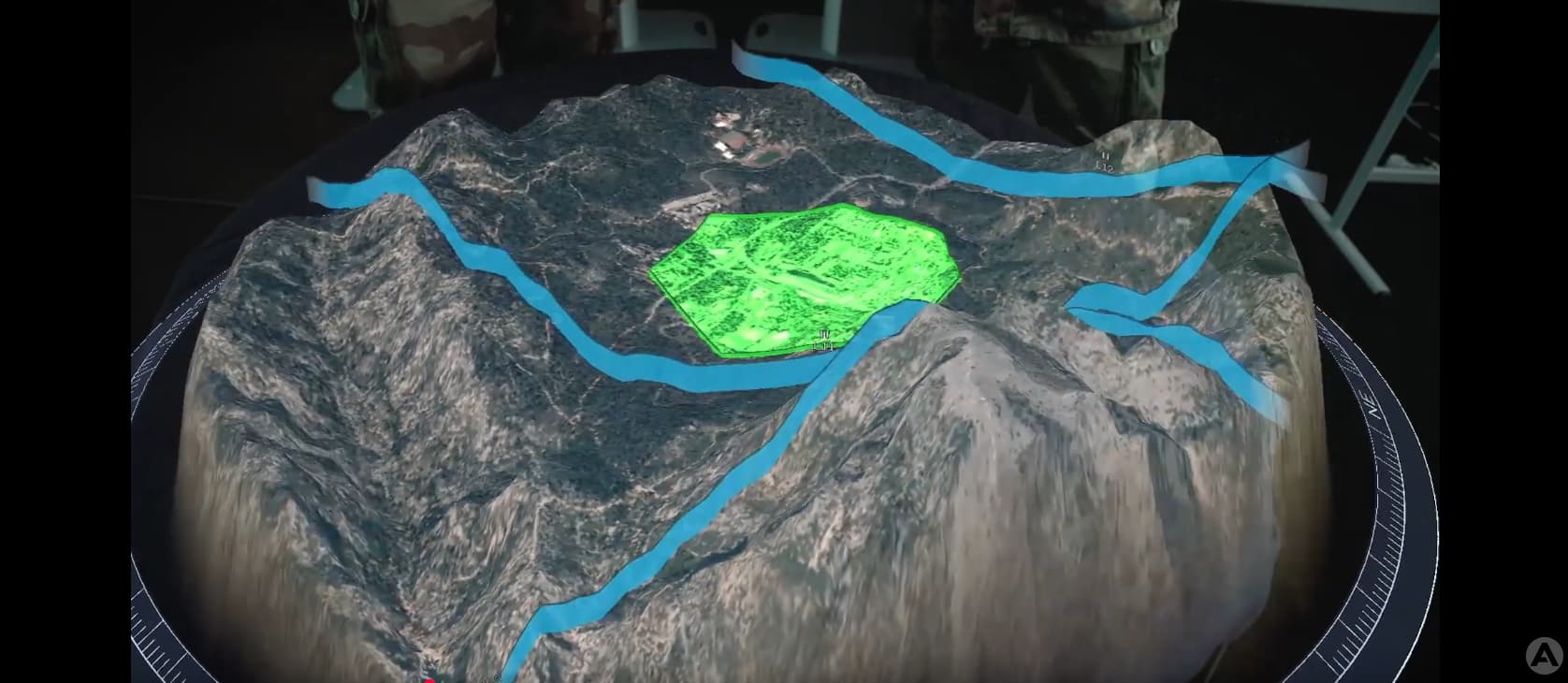
 What I’m trying to achieve:
A visual “border fall-off” effect around a defined region of Cesium terrain. Specifically:
- The terrain inside a defined box volume remains fully visible and intact.
- Terrain outside the box gradually drops downward (like it’s sinking), giving the appearance that the selected area is being elevated or cropped from the Earth.
- This is not a glow or a simple alpha fade — it’s an actual mesh displacement (or visual illusion thereof) that creates the impression of terrain deformation outside the clipping region.
I am using:
- Cesium for Unity SDK : 1.17.0
- Unity: 6.1.xx
- Render Pipeline: Universal Render Pipeline (URP)
- Target: XR / MR use case (Meta quest 3 headset)
 What I’ve tried so far:
- Built a Shader Graph that:
- Takes in a world-to-local matrix (_WorldToClipVolume) and box size (_ClipBoxSize)
- Computes each vertex’s distance to the box edge using abs(localPos) - boxHalfSize
- Applies smoothstep-based vertical displacement outside the box
- Wrote a script that sends the box transform to the shader each frame
- Assigned the Shader Graph-based material to Cesium3DTileset’s opaqueMaterial field
Wrote a script that sends the box transform to the shader each frame
However, i was able to cut the cesium to the box volume as shown below but the displacement does not seem to apply to the terrain.


 Specific questions:
- Has anyone successfully implemented a border fall-off or similar terrain deformation effect using Shader Graph and Cesium for Unity?
- Are Cesium terrain tiles deform-able via vertex displacement in URP?
Any help, insights, or examples from the community would be greatly appreciated.

