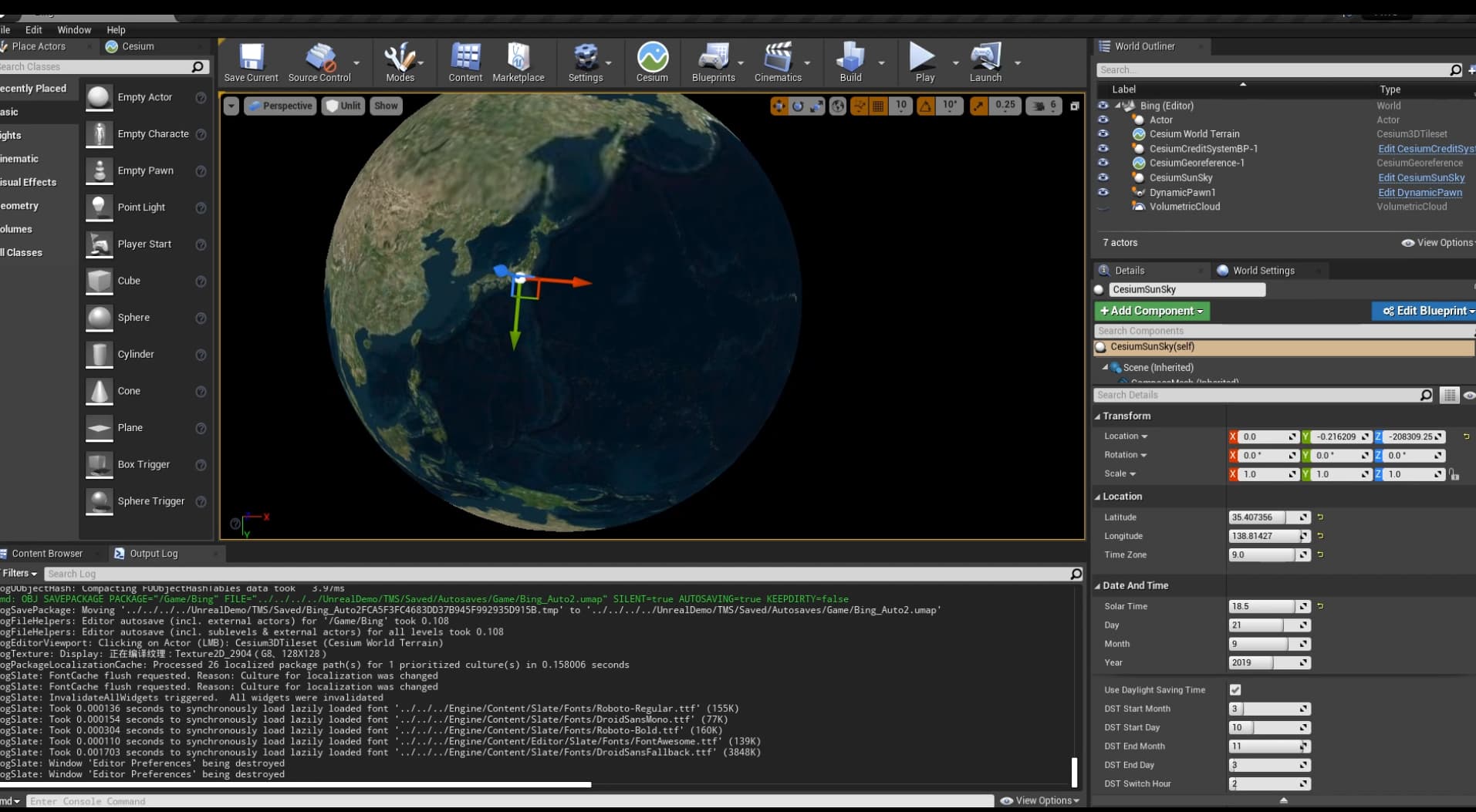
when I open the lighting, the world becomes white, I can’t sen anything。
The effect of lighting on and off is completely different
when I open the lighting, the world becomes white, I can’t sen anything。
The effect of lighting on and off is completely different
Hello @irvin, welcome to the community.
By default, the intensity of CesiumSunSky is set very high, to match real-world light sources. Sometimes, this can cause issues with the auto-exposure. If you don’t require geospatially accurate lighting, or you simply want to keep exposure in a more standard range for game experiences, select CesiumSunSky. In the details panel, select the Directional Light component and set the intensity of the light to 1.
Or you may prefer to add a Post Process Volume and adjust the auto exposure. You can read more about that here - Auto Exposure (Eye Adaptation) | Unreal Engine Documentation
-Alex
thanks,
I will read the articles you recommend carefully.
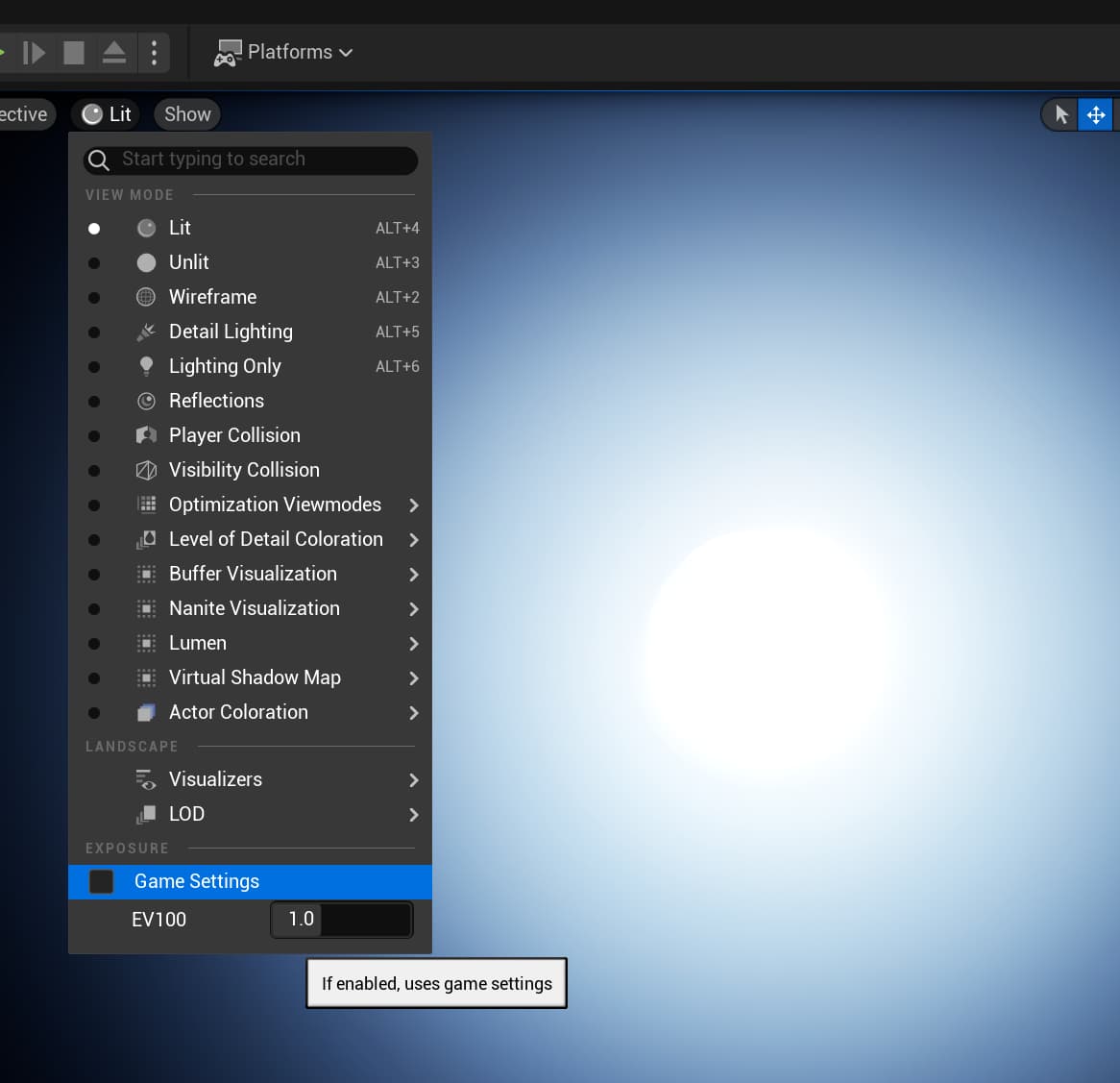
I’m not sure exactly what’s going on there, but one thing to check is that “Game Settings” is ticked:
It will take a few seconds to adjust after you tick it.
With that OFF, I get a worse display than you’re seeing:
I’d also suggest reverting any customizations you’ve tried to make, as they might be making things worse. A default project with a default CesiumSunSky should work well without any changes these days.
Also, if we take a closeup on your image[with Games Settings On], the other side of the globe is darker! Doesn’t the Cesium SunSky wrap the whole globe??
@i210437_Fizza_Mumtaz I don’t know much about Ultra Dynamic Sky, but it looks from your screenshot like UDS and Cesium might disagree on where the center of the planet is located. In Cesium, the (0,0,0) point of Unreal’s coordinate system is not at the center of the Earth. It’s at whatever position you specify as the origin of the CesiumGeoreference. Perhaps UDS has a similar mechanism, and they need to be in sync.
Doesn’t the Cesium SunSky wrap the whole globe??
Sorry I’m not quite sure what you’re asking here. A few things to note, though. The CesiumSunSky is just a wrapper around Unreal’s built-in SunSky that configures a few things when the CesiumGeoreference changes. Also, while the SunSky does wrap the entire globe, the day side of the planet is drastically brighter than the night side, so Unreal’s HDR lighting will make the night side appear black or nearly so when the exposure has adjusted for the day side.
Oh right.. I got it..Thanks a ton!
Also, if someone has any idea how to sync both, it would be quite helpful
Hi, i210437_Fizza_Mumtaz,
I have some experience about UDS to share.
1. UDS is only applicable to local areas
Say: “Note: Ultra Dynamic Sky’s materials, blueprints, and effects are built with typical flat level structures in mind, where the Z axis is always up and down. Spherical/planetary level structures are not supported by the features of the asset.”
2. UDS should be applied in Sublevel
UDS should belong to Sublevel. The UDS in the sublevel takes effects when the Sublevel is loaded. When the Sublevel is not loaded, CesiumSunSky takes effects to see the Earth clearly without being affected by the fog and flat horizon of UDS. Hide or show CesiumSunSky when Sublevel loaded or unloaded.
3. Implementation method of Cesium3DTileset UDS weather effect
The overall idea is to use CesiumPolygonRasterOverlay+Cartographic Polygon+Material Layer Key to implement it.
(1) MI_CesiumUDS
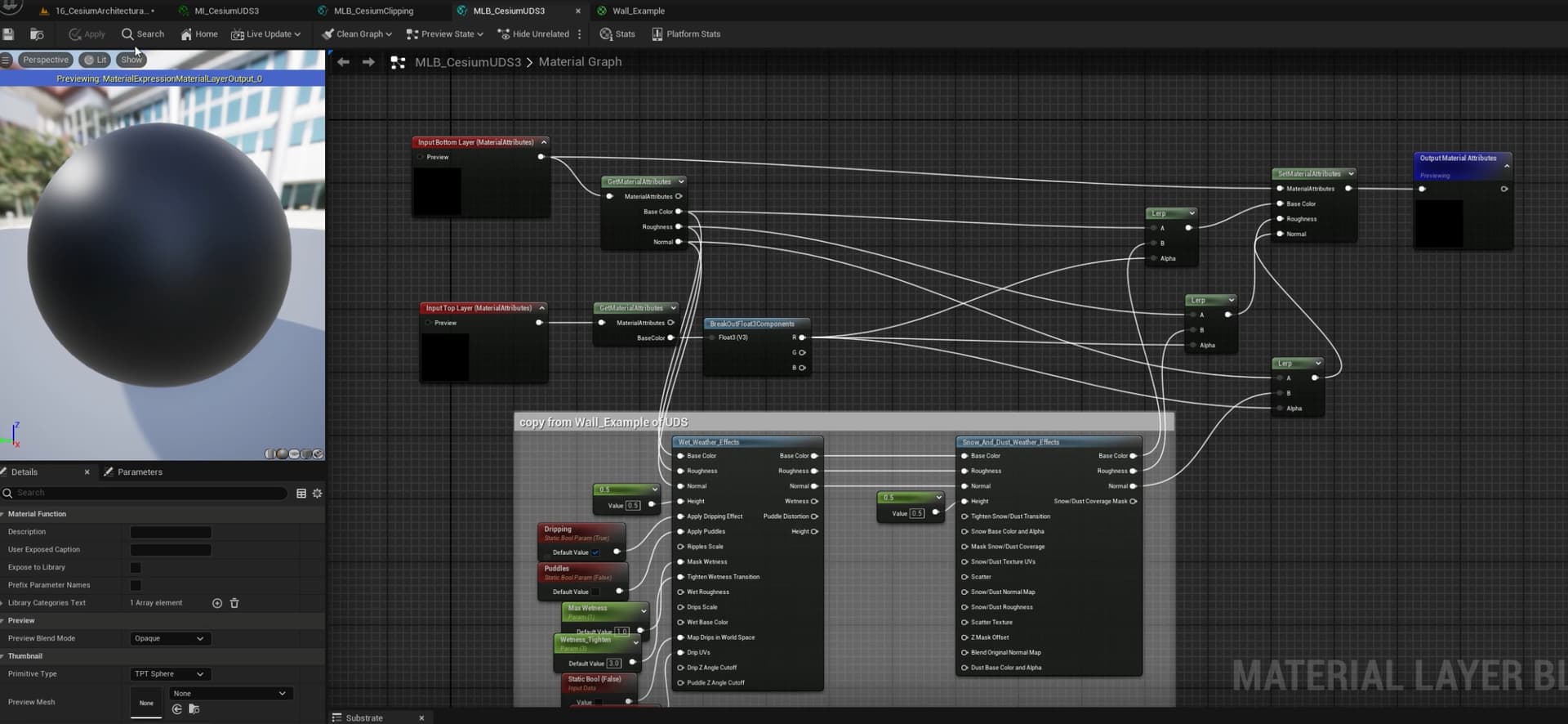
(2) MLB_CesiumUDS
The annotation section was copied from the Wall_Example material under Content>UltraDynamicSky>Maps>DemoMaterials.
(3) The setting of Cesium3DTileset