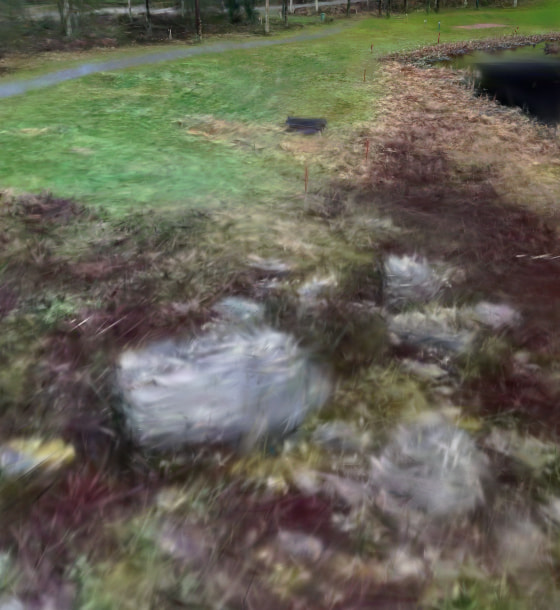
3DGS on cesium - Splat is fuzzy

Hi,

I uploaded my gaussian splat file *.ply to my assets. In the preview it seems completely fine but when I enter into the sandcastle it doesn’t look the same at all. I believe that the 3D tiling process creates this error and I don’t have any control over it? In supersplat (from where I exported it) it looks completely fine also.. From the link below you can take a look what kind of an issue I’m talking about.. Any ideas / fixes would be appreciated.

Thanks in advance,
-Joonas

https://sandcastle.cesium.com/#c=jZJvT9swEMa/ipUXKJUmp5RShlbQqrRi6WgCbekoyhvXcYkTxw62W0gmvvucP91g2qa9suz73XN3z9lxwJVEXAOXKLrLpguAMCZKAS1AIXYSUMEBUopoFfKGgZ7gMCJbtGN6VMNLkRIOLkBokWIab64wDejUuyu9Y596yuPzU+x6Ay/N71fu9Bwa6Cm6SisoXZeT3jrzU3/RLYIx7l8vb8uHbKKD8Tz2i25/Nn48XSfzdJ3NE//bhF670/zBiM0SbGJ3veq+vr+lQTI58cejF38568+S+ByONhuBRt2tG9zkZ8VD2fVYsojPSvdjESQ3g2D1tTeLV9sv08EstD6FHAuuNNhT8kykGYWT59YSuKrf7NDC9d0VXCPKiQytjskLuZYF+B5yABoJTRkxdhkN9IzowVjYHCfjZROGWykyY+SostaL7H5vcNo9O68UQdsFVJhwAnNJM6rpniiIoshu5RuwqdDipRDZUrwFKsRxwCjPWQF0TEC7NaB0wQigW2CyyQtV1XIP/ZMXLZEy7bdCsN4+bJ7rqibPrk5wmM3IGkMiu2E64OjoH2FoftR/IIcftqha7VRwp3EZ/GysmeLdrt66XGf+VbGe5DXkrwAjjWNgEymF7PzapGAEMvHYvhvcwNYHa1hXvayozzTLhdRgJ5kNoaNJljOkiXI2O5ya/rBSVd7QOaQMI7oHNLr4w1cCmBmfTWS7Y2xBSxJal0PH8O/SmEAR5Y/BnkiGCoNUbQzj48vrJgAhHDrmWhX9PVcLwTZIvtH9AQ

It’s hard to point the finger at “THE” reason for this, just from looking at the sandcastle. I’ve seen similar effects in other cases, though, and a wild guess is that this might be a coordinate system issue. (PLY is terribly underspecified in this regard - it can contain data with arbitrary orientations, and this “fuzzy” appearance can be the result of a wrong coordinate system being assumed somewhere in the processing pipeline).

Can the PLY file be shared by attaching it here as a ZIP? (If it’s not too large, and not confidential)
(In doubt, when it’s not too large, you could also send it to me via mail or PM, maybe I can have a look)

Okay, I totally get it. But of course I can share you the splat file. It’s from local golf course.. I just had an idea that perhaps it might have something to do with the tiling process that might cause all this.. Never the less here is the used 3D tiled splat hopefully it helps if you want to take a closer look. I trained the model with Lichtfeld Studio and then “polished” it with Supersplat. So all in all it is a Supersplat export if that makes any difference. Anyways happy holidays and thanks if find the time to test it.

splat file itself - not georeferenced
Georeferencing information:

So … there are a few issues coming together. I can only describe ~“something like a ‘workaround’” for now.

The fuzziness seems to be caused by the orientation. The reason why I vaguely suspected ~“something like this” is that it looked similar in Jagged rendering for SPZ Gaussian Splats · Issue #12749 · CesiumGS/cesium · GitHub . That issue is closed, but I’m not sure what to do with that…

In this particular case, the main source of the problem seems to be the “Roll: -90” that was inserted in the tileset location editor.

One “workaround” for now could be to apply that rotation to the input data instead. In the SuperSplat editor, when you load the PLY file, then it inserts a rotation about 180 degrees around the Z-axis for some reason. (As I said, PLY has its own issues in that regard). You can set this to 0, and insert a rotation of -90 around the x-axis instead, and then export this as a PLY file that can be uploaded to ion.

Then, you should not modify the location of this asset with the location editor. Instead, you can apply the transform at runtime, as shown in this Sandcastle:

// Grant CesiumJS access to your ion assets
Cesium.Ion.defaultAccessToken = "...";

const viewer = new Cesium.Viewer("cesiumContainer");

const tileset = await Cesium.Cesium3DTileset.fromIonAssetId(4267452);
viewer.scene.primitives.add(tileset);

const geoTransform = Cesium.Transforms.eastNorthUpToFixedFrame(
  Cesium.Cartesian3.fromDegrees(22.99, 61.43, 0)
);
const scaling = Cesium.Matrix4.fromUniformScale(
  6.46, new Cesium.Matrix4());

const modelMatrix = Cesium.Matrix4.clone(Cesium.Matrix4.IDENTITY);
Cesium.Matrix4.multiply(modelMatrix, geoTransform, modelMatrix);
Cesium.Matrix4.multiply(modelMatrix, scaling, modelMatrix);

// Should assign this as the model matrix, but then,
// https://github.com/CesiumGS/cesium/issues/13041
// kicks in...
//tileset.modelMatrix = modelMatrix;

// Assign it as a root transform instead (WORKAROUND!!!)
tileset.root.transform = modelMatrix;

await viewer.zoomTo(tileset);

(Insert your token and asset ID accordingly)

So, applying the rotation to the PLY data is working around some assumptions that are made for the PLY orientation, and some issue with the tileset location editor, and on top of that, there’s Regression in splats from PLY in 1.135 · Issue #13041 · CesiumGS/cesium · GitHub (mentioned in the inlined comment) which means that the matrix can not be assigned as the modelMatrix of the tileset.

(Let’s say that there are a few things about matrices, orientation, and coordinate system conventions that remain to be addressed…)

However, with this approach, it should be possible to render the tileset properly and at the proper location. Here’s a comparison between the data set rendered in

  • Supersplat
  • JSplat
  • CesiumJS (without the workaround)
  • CesiumJS with the workaround

Of course, rendering that data and rotating the view will still cause the splats to flicker and randomly disappear (see 3d gauss splatting 3dtiles lod render error · Issue #13016 · CesiumGS/cesium · GitHub ), but maybe it’s a reasonable workaround for the time being.

2 Likes

Very nice - that solved it! I also tested and made the rotation in supersplat and did a new upload with that and it was working nicely. Thanks also for the extra code snippets they are very handy. Merry Christmas to you.

Updated splat

That looks a bit better, but something is still not right here:

Given that this was the actual ion preview sandcastle, it looks like the “geo-placement” is still baked into the data. I.e. the sandcastle does not involve that twiddling with the tileset.root.transform = modelMatrix;. Instead, the tileset JSON contains the geo-placement

      "transform": [
            0.09054083250089028,
            -0.9823697676224136,
            0.16356037818320907,
            0,
            0.8933098945932294,
            0.007512968377619647,
            -0.44937844577582575,
            0,
            0.44022697540221745,
            0.18679720278297918,
            0.8782408639778561,
            0,
            2815105.154468553,
            1194506.0111644024,
            5578462.325749396,
            1
        ]

and this appears to have been inserted with the location editor.

It’s hard to pinpoint the reason, i.e. what exactly is causing which form of “fuzziness” here. But maybe you do have a version of that asset that was not modified with the location editor, and that looks really correct after doing the manual geo-placement (i.e. as shown in the rightmost image of that comparsion screenshot that I posted earlier).