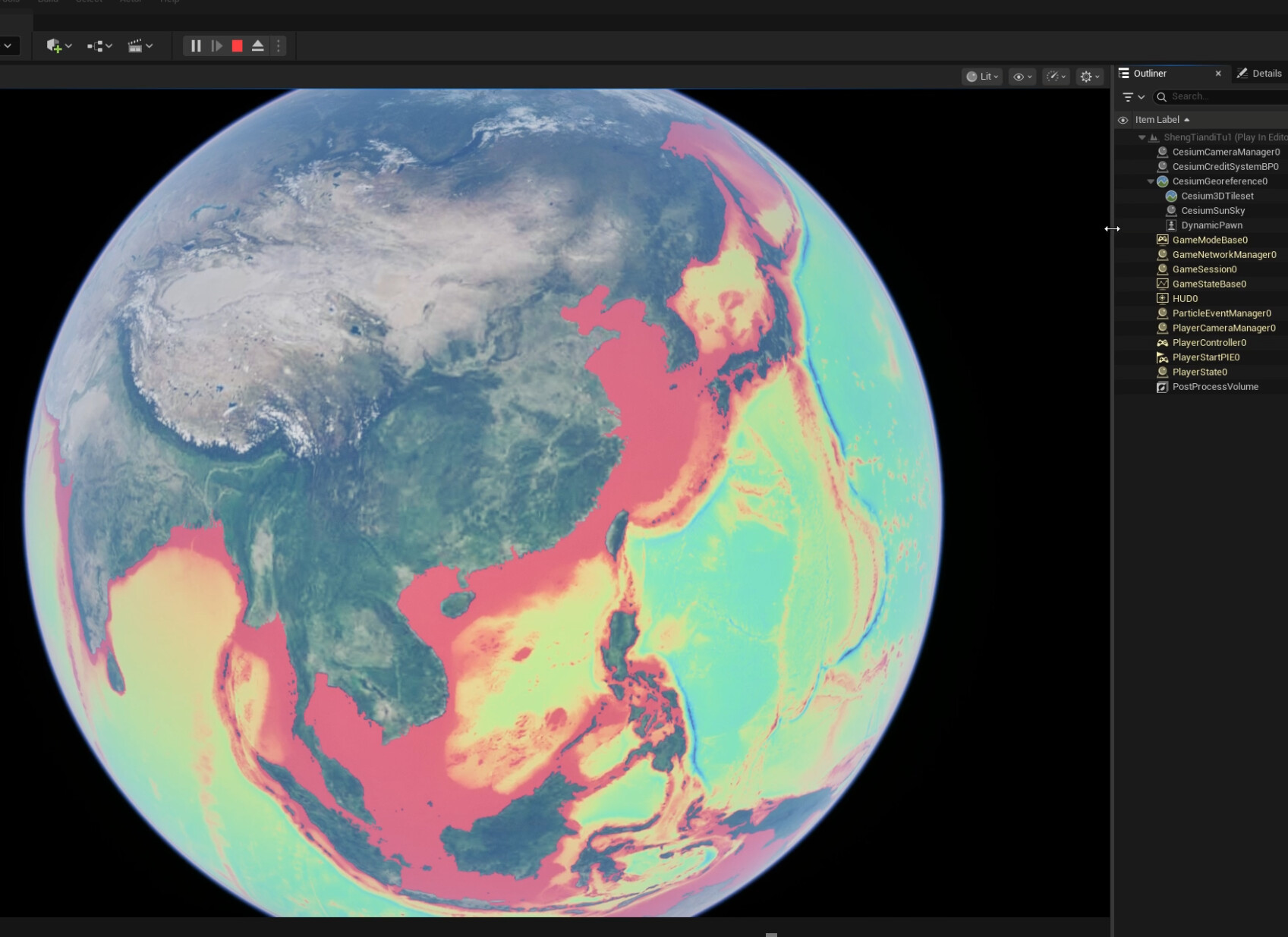
Hi, Having trouble using the bathymetry data. I wanted to use the cesium world terrain tileset for the coastline and the bathy data for the sea, as you have here
but the bathy data is drawn on top of the cesium world terrain and i can’t hide it.. If i add the webserviceraster its the same only its colored instead of white..
Also, if i delete the bathy actor it doesn’t delete from the globe…
Hi, TheExcelExperts,
I have thought about your question and theoretically have a solution. You can take a try first. I will show you more detailed steps with images if I have time to take it in practice.
1. Download the data here:: Gridded Bathymetry Data | GEBCO here, such as GEBCO2025 Grid (ice surface elevation) in Data GeoTiff.
2. In QGIS, use the Mask Layer of world oceans to clip the GeoTiff Raster in step1.
3.In QGIS, you can Symbolize the clipped raster in step2 with your favorite style.
4. Export this SLD Style and world Oceans GeoTiff from QGIS.
5. Publish the GeoTiff with the style in step4 as WMS in Geoserver.
6. In Cesium for Unreal, simply overlay the WMS layer of the Geoserver onto the base map.
that sounds good I’ll try it thanks  I’d assumed it was a feature in cesium I just couldnt’ find but yes that makes sense.
TheExcelExperts,
I put it into practice and the results are as follows.
The following image shows the ocean map in Mako style overlaying onto base map.
The following image shows the ocean map in Turbo style overlaying onto base map.
I will restate the previous steps with images.
1. Download the data here:: Gridded Bathymetry Data | GEBCO here, such as GEBCO2025 Grid (ice surface elevation) in Data GeoTiff.
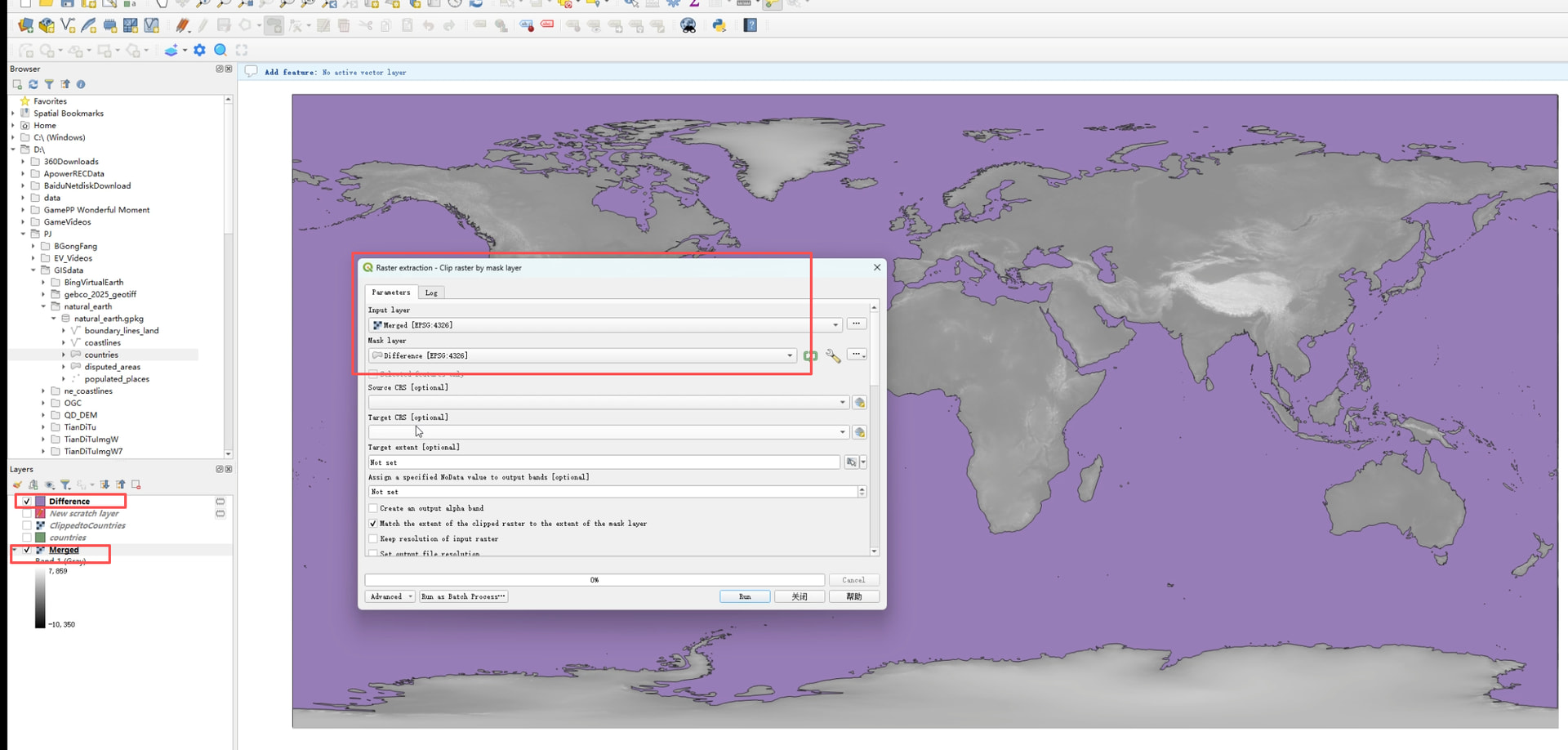
2. In QGIS, use the Mask Layer of world oceans to clip the GeoTiff Raster in step1.
(1) Merge the 8 tifs into one
(2)Clip the Merged Raster by the ocean mask layer
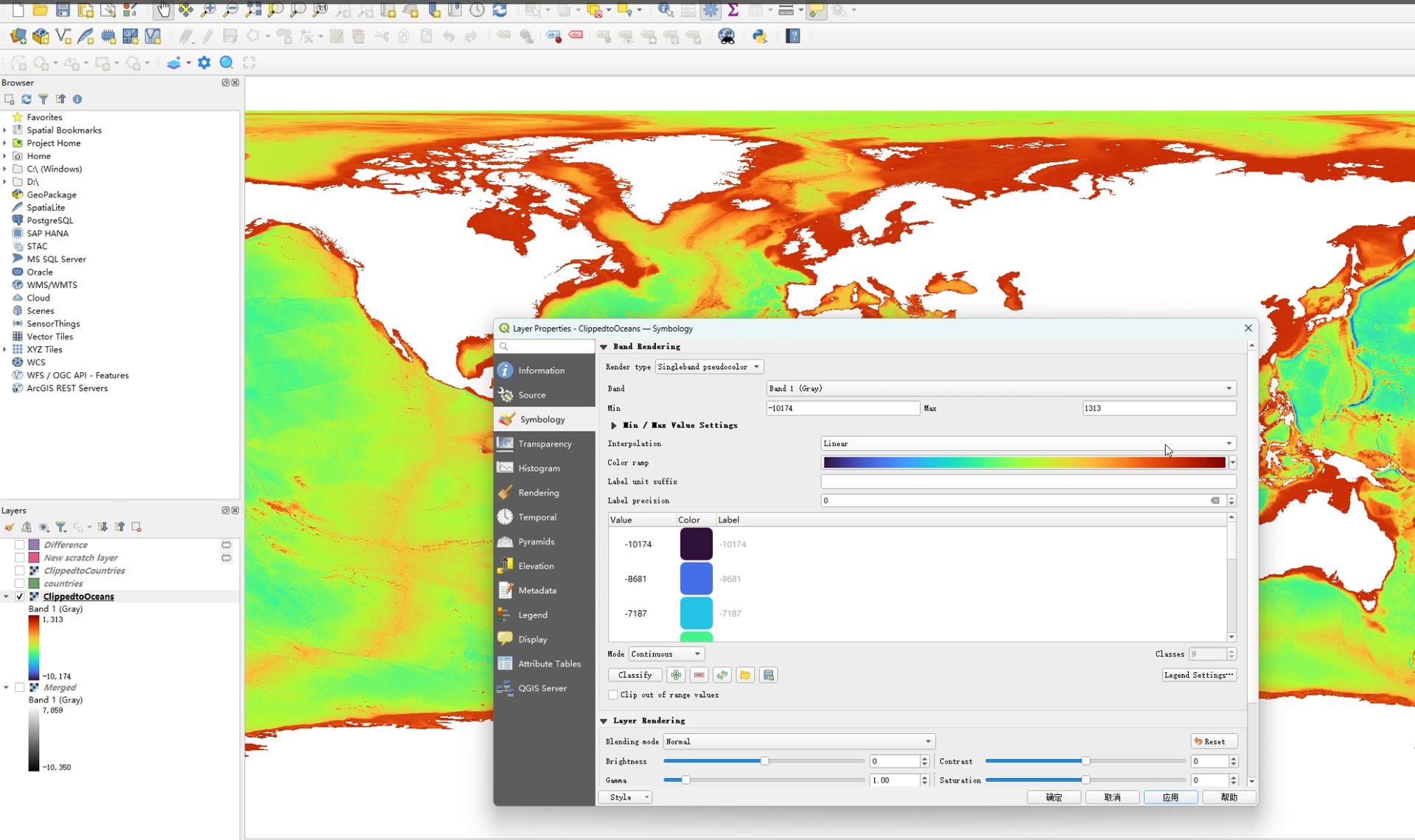
3.In QGIS, you can Symbolize the clipped raster in step2 with your favorite style.
4. Export this SLD Style and ClippedtoOceans GeoTiff from QGIS.
5. Publish the GeoTiff with the style in step4 as WMS in GeoServer.
6. In Cesium for Unreal, simply overlay the WMS layer of the Geoserver onto the base map