Control visibility for clipping polygons by distance

Hello,

We are using clipping polygons along with tilesets to show our own tilesets within the standard world terrain. We are using the clipping polygons underneath our tilesets since there are some overlaps happening with the terrain and our tilesets.

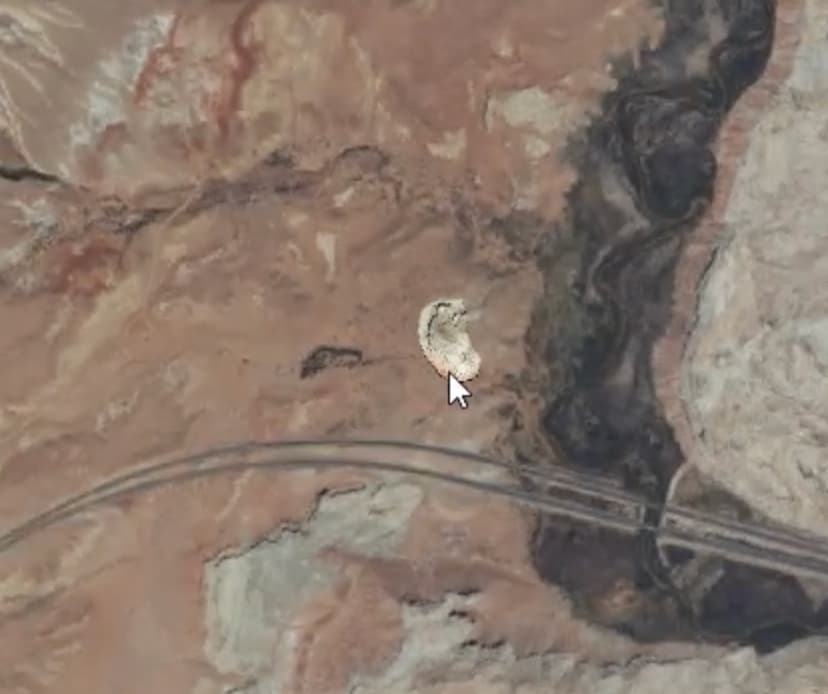
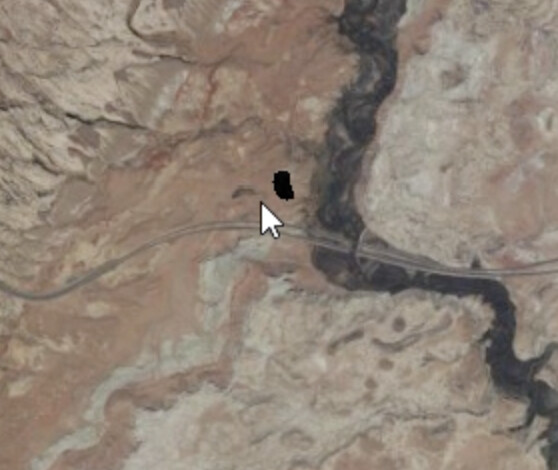
The issue happens when the tilesets get hidden when the camera is far away from the tileset. The clipping polygon does not get hidden showing an empty space where the tileset used to be.

The first pic is when the camera is close enough to the tileset for it to show. The second tileset is when the camera is zoomed out so the tileset is not shown, so the underlying clipping polygon is only shown.

We have a bunch of tilesets and clipping planes in the viewer.

There is probably a way for me to figure out the distance from the camera to the clipping polygon and remove the clipping polygon when the camera is the same distance away as when the tileset gets hidden. But is there a better way to do this?
Hi @jin,
Thanks for your post and sorry for the delayed response.

One initial item to investigate, the tileset may be disappearing due to how Level of Detail (LOD), screen-space error, and bounding volume culling work in the CesiumJS rendering engine.

Each tile has a screen-space error threshold, which represents how much visual detail is “good enough” at a given distance. When you zoom far out, tiles appear smaller on screen, and Cesium decides they’re not worth rendering anymore. So the tileset may completely disappear if no tile meets the detail requirement.

You can try lowering the error threshold with tileset.maximumScreenSpaceError = 128; such that tile has less detail but stays visible for longer.

You may have already seen we also have these sandcastle examples showing clipping uses in CesiumJS similar to yours

Please let us know if this initial approach is helpful for your use case.

Thanks,
Luke