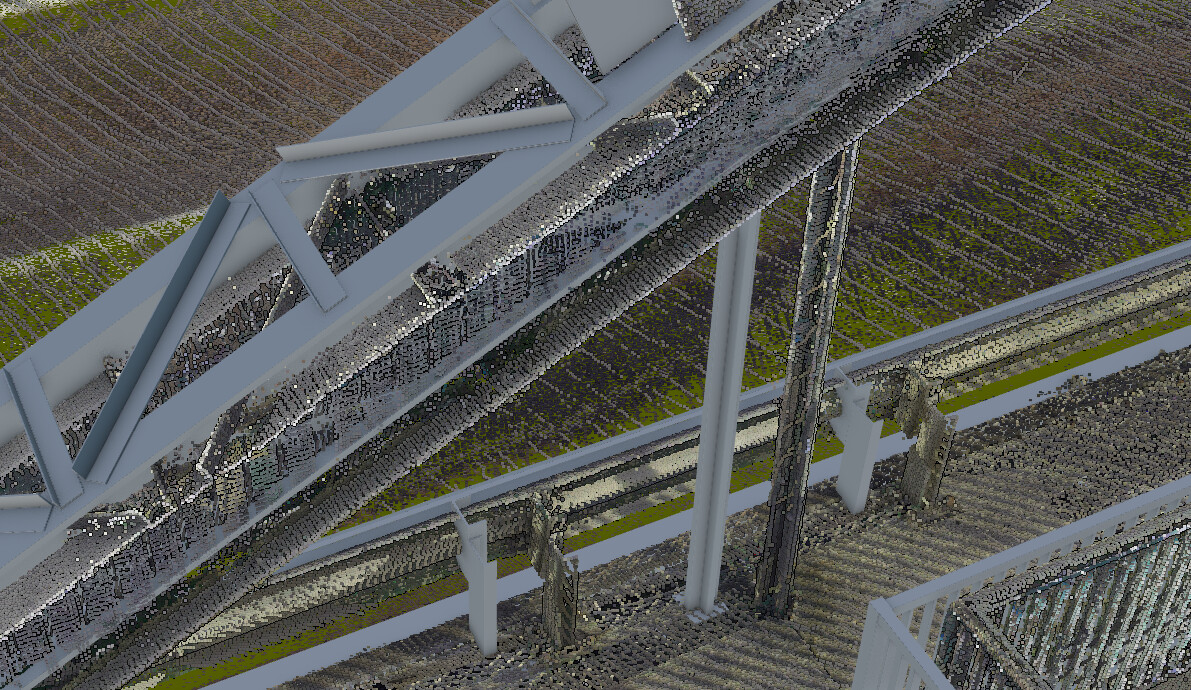
I’m experiencing a strange issue when exporting both a 3D model and a point cloud of the same object. They should share the same coordinate system, but after export the 3D model is perfectly aligned, while the point cloud appears shifted in Z as well as in XY. The export settings are identical and export from the same reality scan 2.0.1 project. I’ve attached some images to better show the problem.
A small update: I tried another object, exported directly from Revit using the plugin with coordinates in EPSG:32632. The point cloud is also in the same coordinate system. However, I found out that most export tools don’t actually write the coordinate system information into the file header. So I injected the EPSG code into the LAZ file using PDAL.
Even though this reduced the misalignment, it didn’t eliminate it completely — there’s still a noticeable offset. In Revit, the point cloud and the BIM model are in the same position, with a maximum difference of about 3 cm, much smaller than what appears in the Cesium scene.