In this demo, when I use my photo, the photo there will be Edge stretching
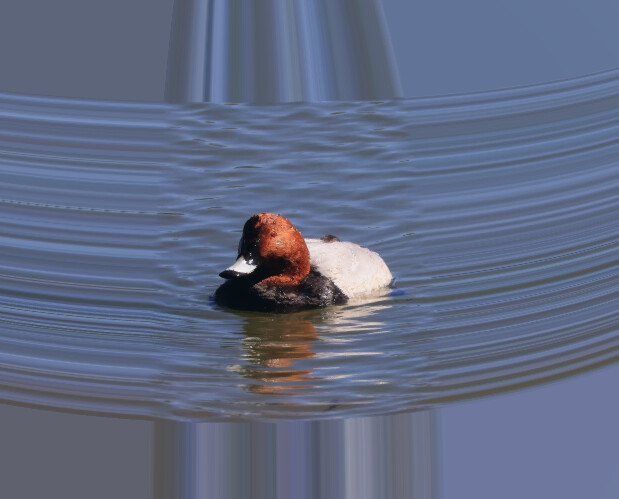

It looks like the texture wrap mode is REPEAT by default, meaning that it will just repeat the last pixel from the border, along each direction.
Depending on the exact use-case and requirements, ther may be different options for solving that. It might be possible to change this wrap mode, but I have doubts that this will be possible on the API level. An easy solution could be to just add a one-pixel transparent border to the image, like this one:

The result, using this exact image, is shown here:
Will also add that, if you don’t need the image to conform to terrain or anything, you could simply use a rectangle with an ImageMaterialProperty instead (example).
I use UrlTemplateImageryProvider and set rectangle,REPEAT too. This is the code
  const viewer = cesiumGlobalState.viewer!;
  const imageryProvider = new UrlTemplateImageryProvider({
    url: `${props.url}/${props.path}/{z}/{x}/{y}.jpg`,
    rectangle: Rectangle.fromDegrees(73.5, 3.9, 135.0, 53.5),
  });
  layer = viewer.imageryLayers.addImageryProvider(imageryProvider);

Hi @edgexie,
I see you marked my response as a solution, but it sounds like you may have a new question? I’m not sure I understand what you’re asking though - what’s the end goal you’re trying to achieve? (Another sandcastle example may help, as well).
Best,
Matt
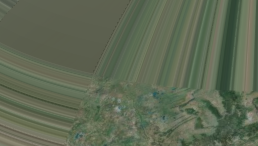
HI this is the sandcastle witch can show IMG REPEAT

HI , any help.thx Img **Edge stretching** - #7 by edgexie
Hi @edgexie,
Thanks for your follow up question.
While I am not entirely sure all the context around your desired use case, I think a common implementation we see that is similar to what you are showing is to combine a rectangle and cutout for an imagery layer. We has a sandcastle demonstrating this approach here Cesium Sandcastle.
This should allow you to show within your specified rectangle your target OSM tileset in the “cutout”, and then cover the rest of the globe with another layer.
Please let us know if this approach does not fit your use case and we would be happy to try to help more.
Thanks,
Luke