
top and bottom of the screen tiles doesnt render, idk but i guess its something can be solved with some settings
Hi @aewss,
Unlike your previous message (where it appears random tiles in the middle of the view are missing) this particular case (where tiles are missing at the top and bottom of a portrait-orientation view) is a common and well understood problem. It can be solved using the CesiumCameraManager. Please see here:
Hi @Kevin_Ring
Thanks for your reply, my previous message was happening in Movie Render Queue Legacy. I was using it because of the .avi output, that was pratical. And that was solved with clicking Photorealistic 3D tiles in Outliner. But this issue only happening in MRQ
And what can you recommend me for the best render results, Legacy or MRQ i really wonder which one is better with cesium.
I will try your suggestion.
Thanks for your helps, you are the best!
and in my sequence there will be nearly 6 camera, but your blueprint only for 1 camera, what can i do
Either MRQ or Legacy should work fine, except for this annoying caveat that MRQ doesn’t properly report viewport dimensions (or have any other API to get them, as far as we can tell) so users are forced to do it manually using the CesiumCameraManager.
If you have multiple cameras in your sequence, but only one at a time, create one camera on the CesiumCameraManager and update it with whichever is currently active.
If you truly have multiple cameras active at once (not sure how this would work in a video… split screen maybe?) then you’ll need to create multiple cameras on the CesiumCameraManager.

Hey @aewss,
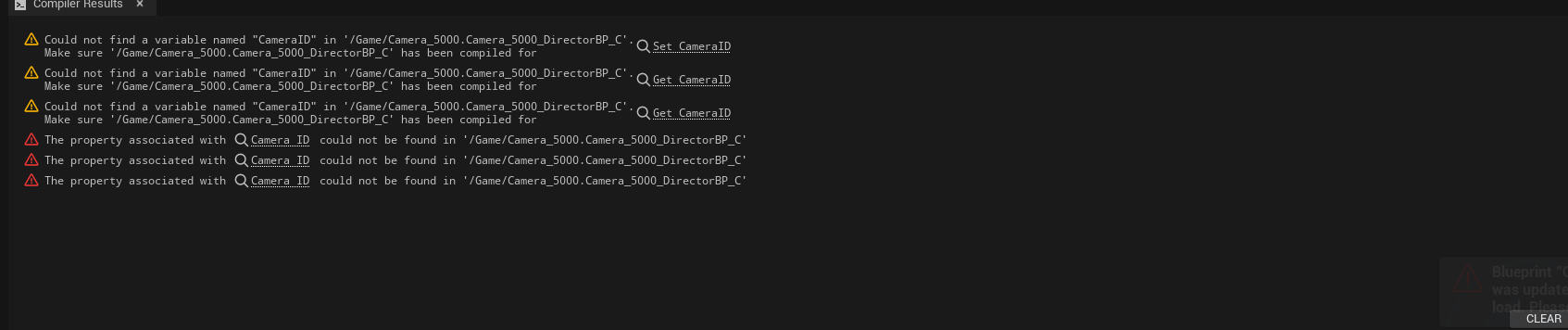
Adding onto Kevin’s suggestion – and based on the screenshots you shared – you should only have one CesiumCameraManager in your scene. You can register multiple cameras with it using Add Camera in Blueprints. I’m not sure what would be causing those errors in your second screenshot, but I’d try this first!
Hey @janine
thanks for replying, how can i register multiple cameras i have no idea, and the error was all about my problem i forgot adding CameraID variable to new level sequence. (i just copied the blueprint to another level sequence)

 .
.what’s the solution 
Hi @aewss, I think we’ve provided most of the information we can. As Janine mentioned, the Add Camera blueprint node is the way to add multiple cameras to the CesiumCameraManager. You can also call the Update Camera Blueprint node with the parameters from a different camera from one frame to the next. So one CesiumCameraManager camera can follow different sequencer cameras throughout your video.
If you’re still having trouble, I suggest you should us in detail what you’ve tried and where it goes wrong.