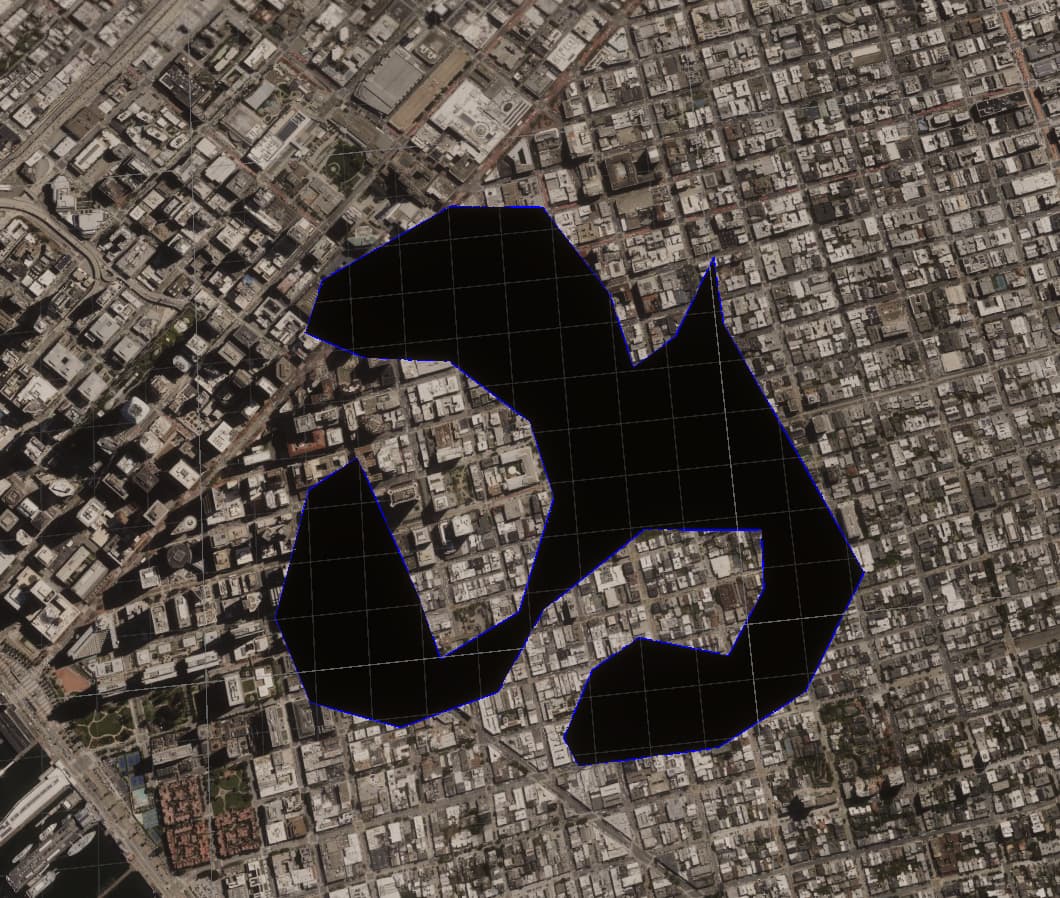
When I’m using the Cartographic Polygons to hide parts of the 3DTileset it works perfectly fine in the Universel Render Pipeline in Unity. However in the High Defenition Render Pipeline the selection seems to get rasterized, and does not follow the actual selection.
Example (First image HDRP,)
Is there something I have to select still within the Cesium components (or the HDRP settings)? I’m using Unity version 2022.3.46f1
Hi @luc_was_taken, welcome to the community!
Can you please check which version of Cesium for Unity you’re using? It’s shown in the lower-right corner of the Cesium panel in the Editor. We had a bug like you’re describing awhile back, but it was fixed in v1.12.0, which was released about a year ago.
We are having the same issue, I’ve tried downgrading to older version but it didn’t fix it.
We currently are using the latest version (v1.17.0)
I checked in the hierarchy and i can see its generating the overlayTexture_Clipping correctly, so I’m assuming something in the HDRP pipeline changed causing the CesiumRasterOverlay node to stop working like it should.
Hi @luc_was_taken and @triktron,
I’m not able to reproduce this so far. I started with the Cesium for Unity Samples project, and converted it to HDRP. Then I added a new CesiumCartographicPolygon with a reasonably intricate polygon, and attached it to the tileset with the CesiumPolygonRasterOverlay. It looks ok:
Can either of you provide detailed instructions for reproducing this, preferably starting with the Cesium for Unity Samples project?
Sure! I managed to reproduce it using the sample project.
I’m testing the google earth tiles.
What i did in order was:
- I cloned a fresh copy of GitHub - CesiumGS/cesium-unity-samples: Sample project for Cesium for Unity
- I opened it using unity 6000.0.29 as that’s the version our own project was on. (I don’t know if this has anything to do with it as luc has the same issue on 2022.3.46f1)
- I added a CesiumCartographicPolygon to check if it was working, and it was.
- I installed HDRP 17.0.3
- I converted the project to HDRP using the HDRP Wizard window
And then it stopped working.
I have forked and pushed my sample project to GitHub - triktron/cesium-unity-samples: Sample project for Cesium for Unity
Edit 21/08/25:
Like mentioned below turning on alpha clipping instead of changing the surface type works too and prevents certain artifacts.
I have managed to find the issue!
Its actually rather dumb and simple… the default material inside the package isn’t set to transparent but opaque. you need to make a copy of CesiumUnlitTilesetMaterial, change the surface type from opaque to transparent and turn of Preserve specular lighting and assign it on the 3D Tileset.
@triktron Thank you so much for finding the solution!
Hi @triktron,
Can you try turning on “Alpha Clipping” instead of switching from Opaque to Transparent? I think you’re likely to see artifacts with a transparent material, even if it fixes the immediate problem.
This explains why I didn’t see the problem, though. I was using a different tileset that uses CesiumDefaultTilesetMaterial instead of CesiumUnlitTilesetMaterial. The former does have Alpha Clipping enabled. I’ll write an issue for us to fix this.
Sure, switching to clipping does work too, and i think it does indeed help relieve some artificing!
I’ve also tried switching to CesiumDefaultTilesetMaterial, i think it looks a little better too, so I’ll just use that material instead of creating my own.
thanks for opening the issue