unreal engine 5.4.4 Im trying to use Cesium Moon and i did everything correctly but the viewport is completely blown out with super bright white from what i assume is because of some setting with the sun/light. i can see the moon when i switch to unlit mode, so i know its there. how to fix this blown-out bright white light? I’ve tried to leverage AI for help but its useless. Every time I’ve tried to make this moon thing work, this issue always stops me from making progress. I’d love to solve this silly issue once and for all. Please help!
It may not be a “silly” issue, but rather one of the complexities of trying to mimic the real world. The sun is very, very bright - and the Cesium representation of the sun tries to be accurate. This can have the effect that you described. I think that the section at Using a Geospatially Accurate Sun – Cesium may be relevant here - and maybe what is referred to as “Option 2” there, namely to just reduce the Intensity of the Directional Light (of the sun) to a lower value. If this does not help, maybe someone from the Cesium For Unreal core team has further ideas.
Right, I’ve already tried that adjustment, among others. Even at .001, no change.
OK, then I’m (already) out of ideas (and maybe it really is just a “silly” glitch after all…). I’ll move this into the Cesium For Unreal section, it’s more likely that someone has an answer there.
Hi @Matte_P, welcome back to the community!
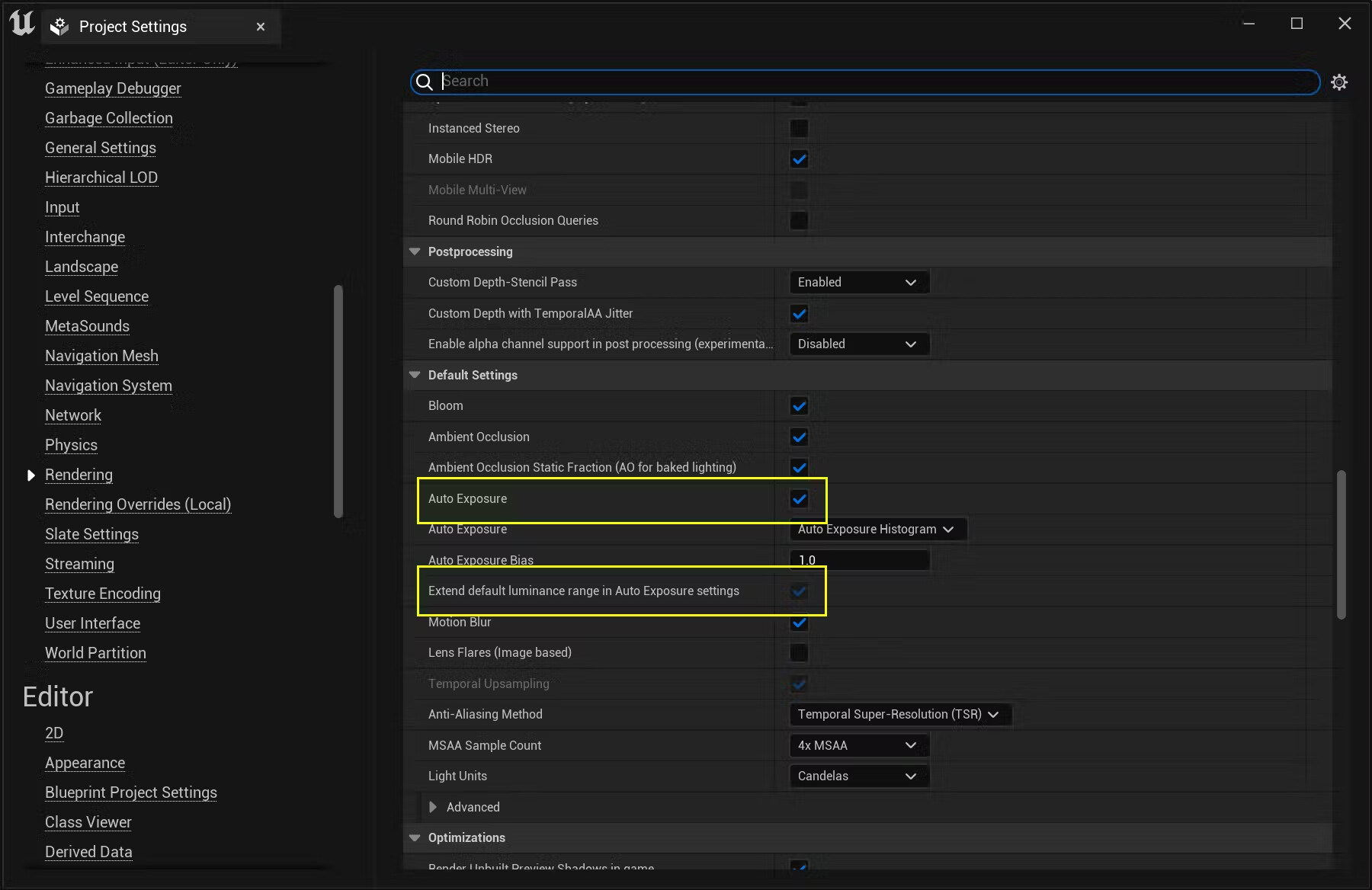
I’m afraid I can’t replicate this behavior. But one thing to check is that you have the Auto Exposure and Extend default luminance range in Auto Exposure settings options enabled in your project. You can find these by going to Edit > Project Settings, then navigating to Engine > Rendering.